Instant Order Communication on WhatsApp
Keep customers in the loop with real-time order updates sent directly to their WhatsApp.



E-commerce & CMS · Official WhatsApp Business API
Connect your WooCommerce store with Wappbiz and send real-time WhatsApp messages to your customers as soon as they place an order. Improve post-purchase engagement, reduce support queries, and build stronger customer trust — all without writing a single line of code.
What you can dowith WooCommerce and WhatsApp.
Keep customers in the loop with real-time order updates sent directly to their WhatsApp.
Choose templates for different events like order placed, shipped, or delivered — fully customizable.
Just copy the API from Wappbiz and paste it into the WordPress plugin — that’s it!
Connect WooCommercein 4 simple steps.
Go to Wappbiz Dashboard > Integrations > WooCommerce. Click Enable Integration.
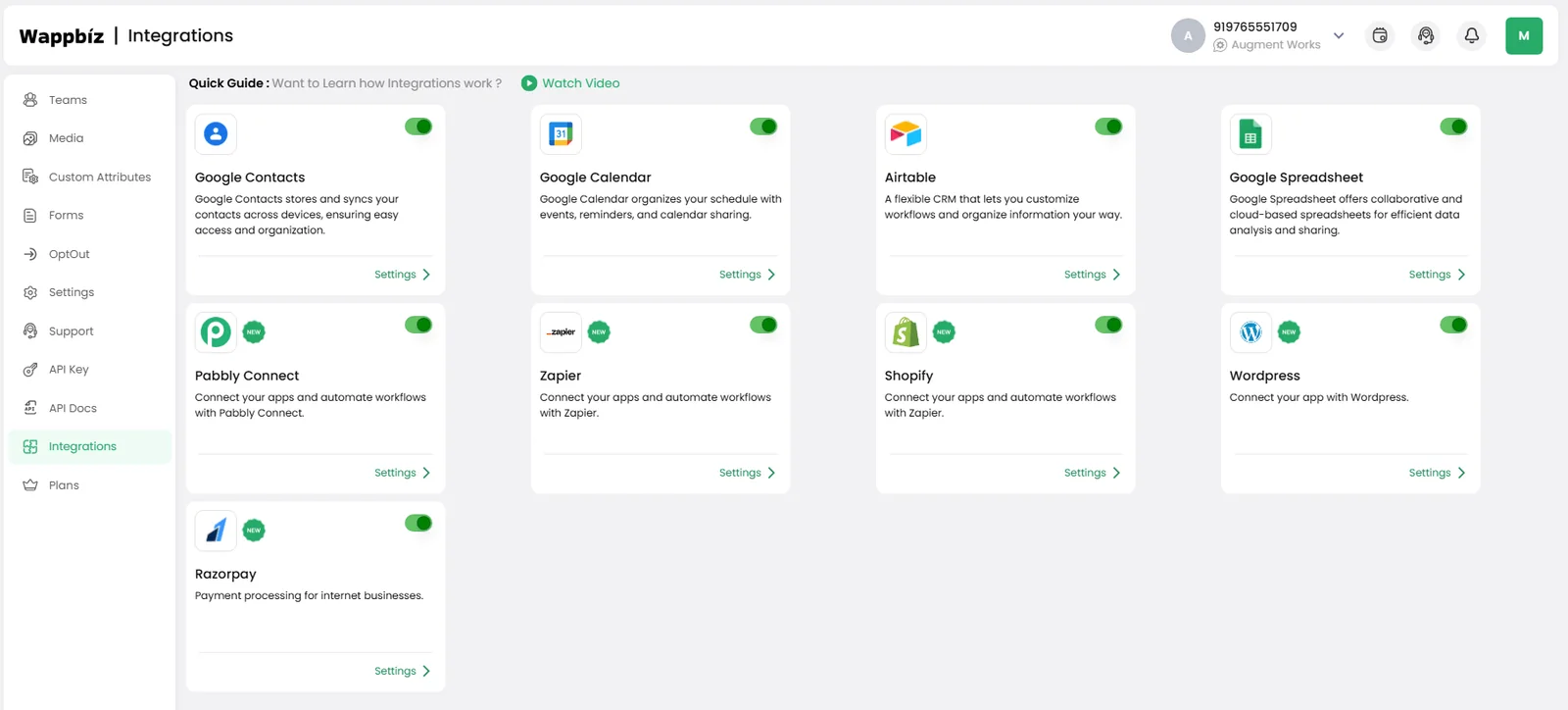
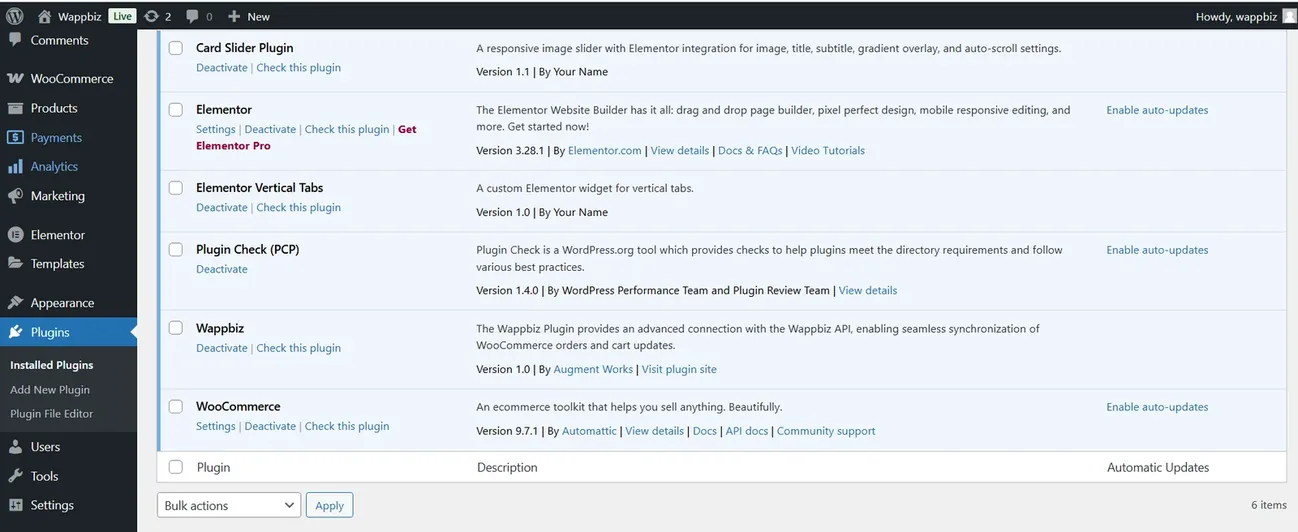
Log in to your WordPress Admin Panel. Go to Plugins > Add New. Search for “Wappbiz” or upload the plugin manually. Install and activate the plugin.
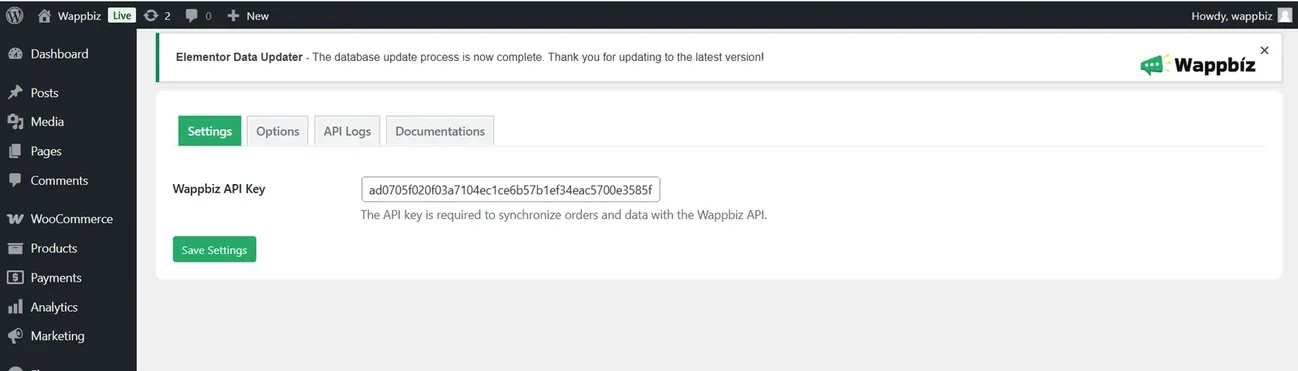
Go to Wappbiz Plugin Settings inside WordPress. Paste the API URL copied from your Wappbiz dashboard. Save the settings.
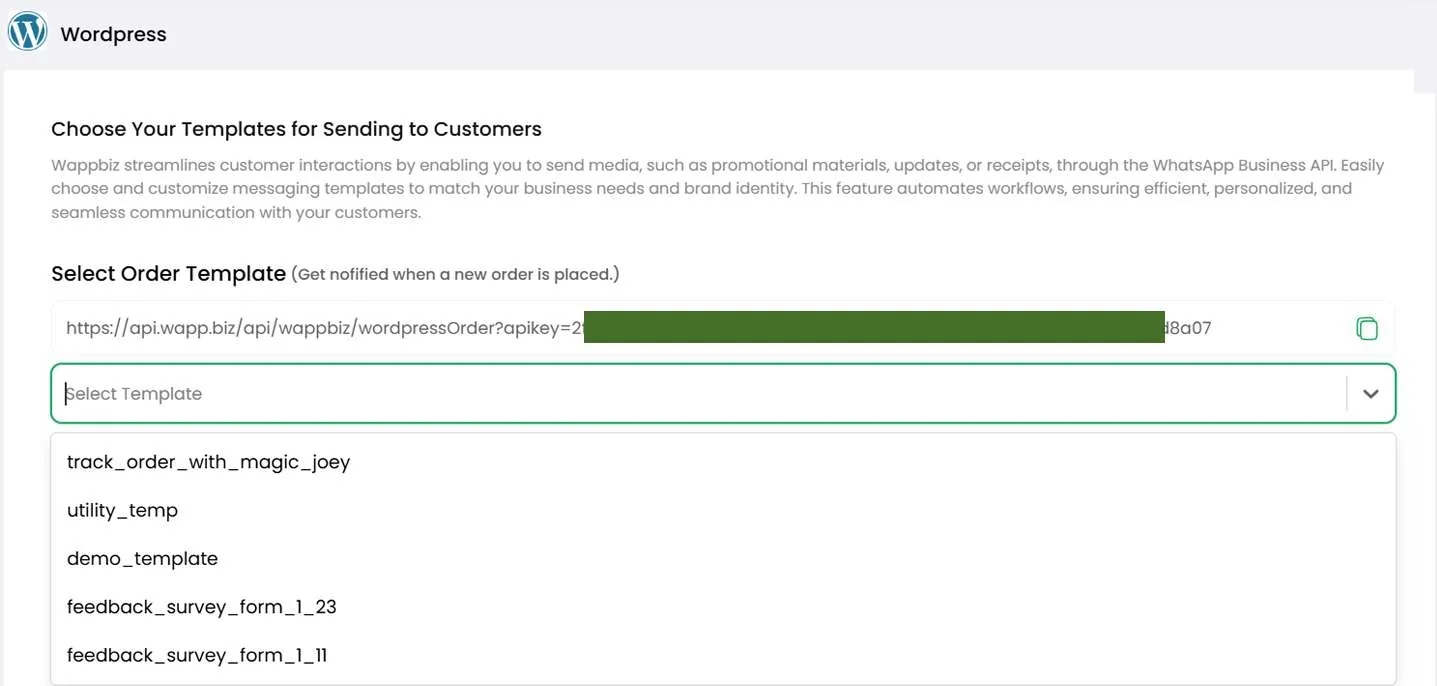
In Wappbiz, go to Templates > Select Template for WooCommerce Orders. Choose from available template.
WooCommerce is connected. Start messaging customers from Wappbiz.
Send WhatsApp broadcast messages to 1000+ customers instantly.
ExploreDrip CampaignsUse Wappbiz to run a WhatsApp Drip Campaign, automate follow-ups, and nurture leads with scheduled, personalized messages—no manual work needed.
ExploreWhatsApp CatalogCreate, customize, and share your WhatsApp catalogue in minutes with the help of Wappbiz WhatsApp Business API.
ExploreStep 1: Enable WooCommerce Integration in Wappbiz Step 2: Install Wappbiz Plugin in WordPress Step 3: Paste the API URL in the Plugin Settings Step 4: Select a WhatsApp Message Template
Using Wappbiz, you can automate WhatsApp order notifications triggered by WooCommerce order updates.
Wappbiz lets you automate sending invoices via WhatsApp by connecting WooCommerce order data with WhatsApp Business API messaging.
It connects your WooCommerce store with WhatsApp to send automated order updates, receipts, and delivery alerts.
Yes, Wappbiz offers a no-code integration that’s quick and simple.
You can send order confirmations, shipping updates, payment alerts, and promotional messages using approved templates.
Yes, Wappbiz uses the official WhatsApp Business API, ensuring compliance and reliability.
Absolutely, You can edit and personalize messages for different order statuses or campaigns.










Your next customeris already typing.
Put an AI agent on WhatsApp, Instagram and Messenger today.