Automated Reminders
Send instant WhatsApp reminders before scheduled meetings to reduce no-shows.



Scheduling · Official WhatsApp Business API
Integrate Calendly with WhatsApp using Wappbiz to send automated reminders, confirmations, and follow-ups directly through WhatsApp. Simplify your scheduling process and keep clients engaged effortlessly.
What you can dowith Calendly and WhatsApp.
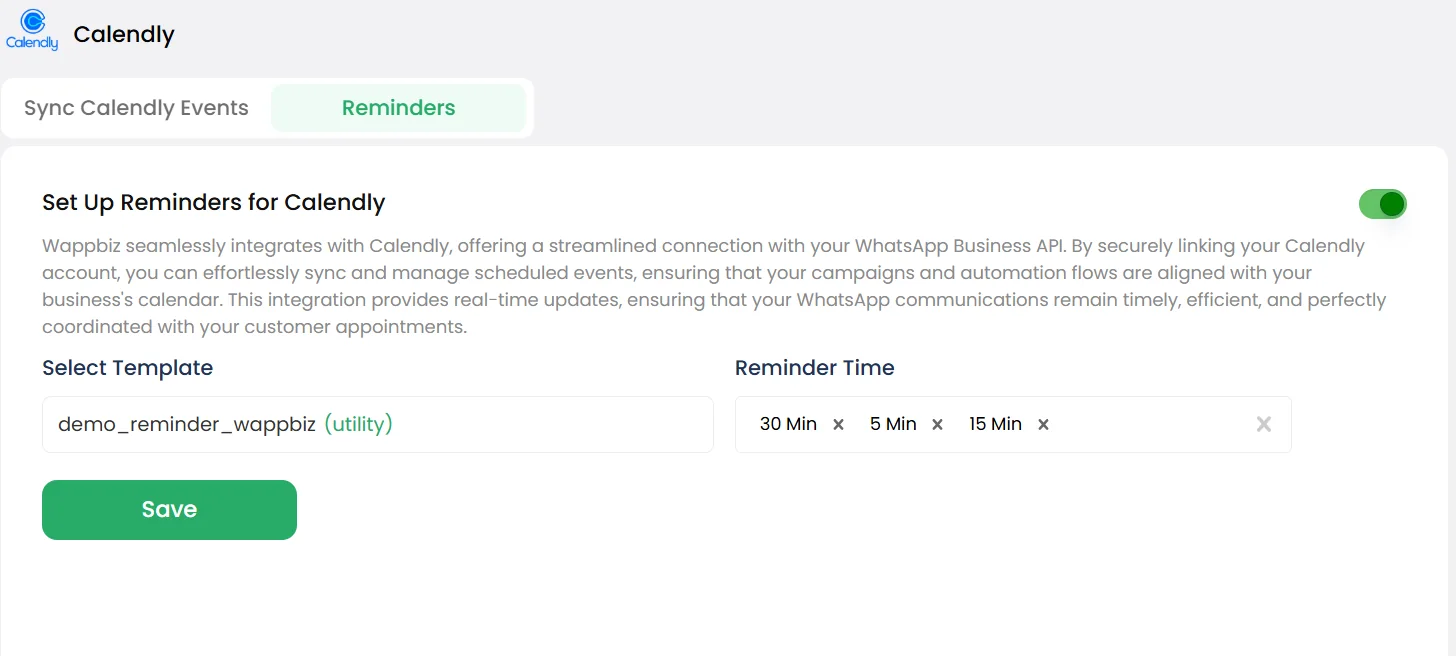
Send instant WhatsApp reminders before scheduled meetings to reduce no-shows.
Notify customers via WhatsApp as soon as they book an appointment in Calendly.
Automate post-meeting messages, feedback requests, or next steps directly on WhatsApp.
Connect Calendlyin 4 simple steps.
Go to the Integrations tab in your Wappbiz dashboard and toggle on the Calendly integration.
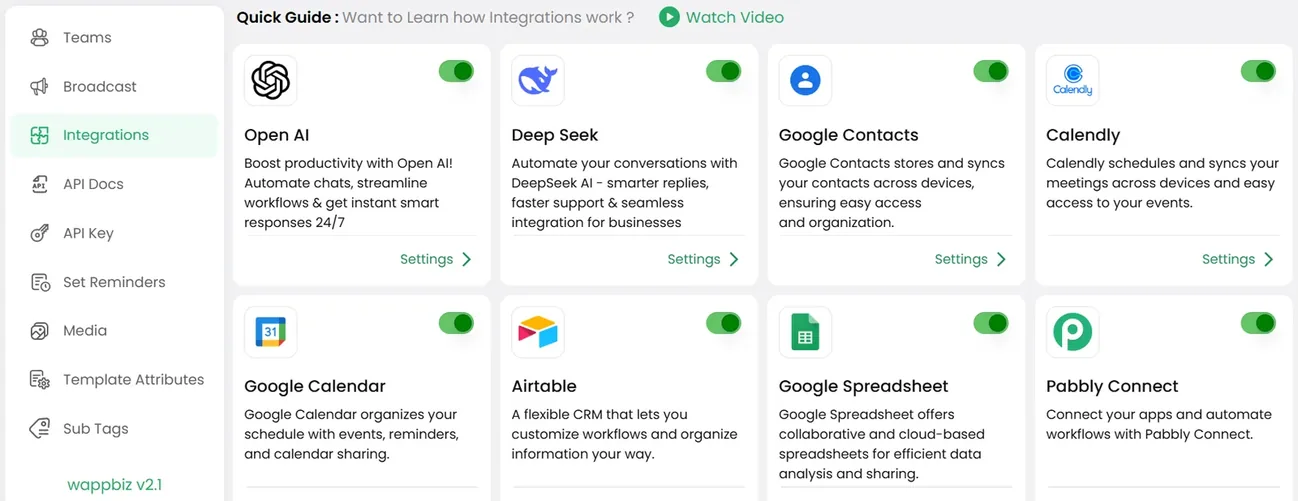
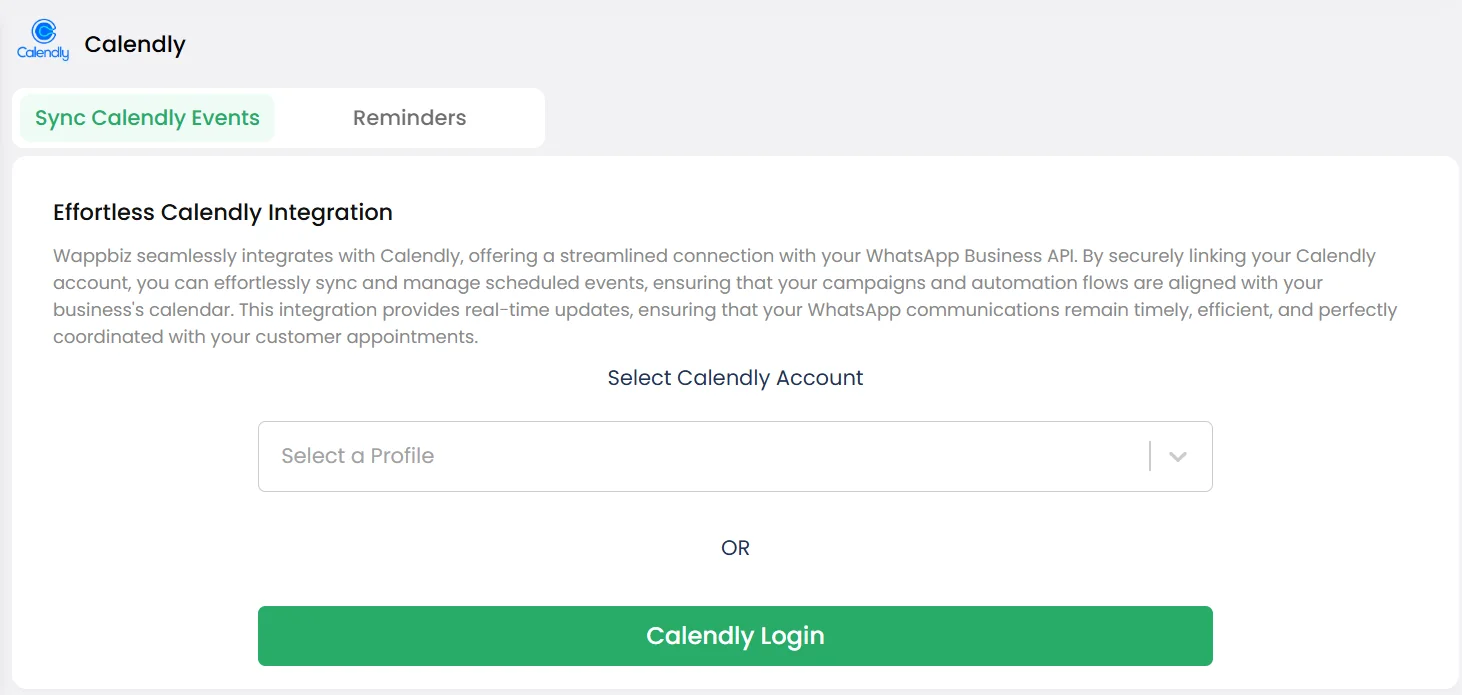
Enter your Calendly API key to securely connect your scheduling account with Wappbiz.
Choose what you want to automate: Booking confirmations. Event reminders. Follow-ups after meetings.
From here, Wappbiz automatically syncs your Calendly events and keeps your customers informed through WhatsApp messages.
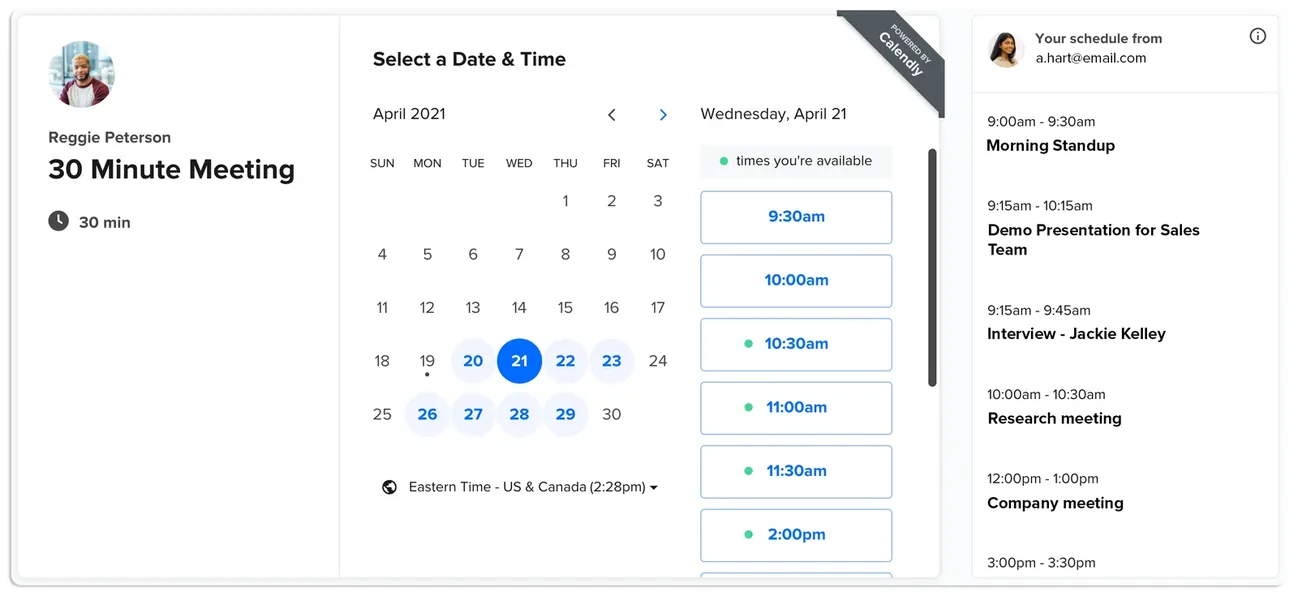
Calendly is connected. Start messaging customers from Wappbiz.
Use Schedule WhatsApp Message with Wappbiz to send pre-set texts for offers, updates, and follow-ups—no manual effort needed.
ExploreDrip CampaignsUse Wappbiz to run a WhatsApp Drip Campaign, automate follow-ups, and nurture leads with scheduled, personalized messages—no manual work needed.
ExploreUnified Team InboxOne shared inbox for WhatsApp, Instagram, Messenger and website chat.
ExploreYes, with Wappbiz you can connect Calendly to WhatsApp for reminders, confirmations, and follow-ups.
Enable the integration from your Wappbiz dashboard, add your Calendly API key, and configure your message settings.
You can automate reminders, confirmations, and post-event follow-ups via WhatsApp.
Yes, all connections use secure APIs and your scheduling data remains protected within Wappbiz.










Your next customeris already typing.
Put an AI agent on WhatsApp, Instagram and Messenger today.