
Lead Capture
Collect customer details, product interests, requirements, and contact information directly through WhatsApp.


Lead capture · Official WhatsApp Business API
Capture enquiries, bookings, support requests and customer details with branded WhatsApp Forms. Share them anywhere and automate the next step instantly.
A WhatsApp Form is a structured form experience that helps businesses collect information like contact details, service needs, booking preferences, or order data before or during a WhatsApp conversation. It is commonly used for lead capture, registrations, enquiries, and bookings. Watch a WhatsApp Flows booking form play out step by step in our WhatsApp templates library.
Collect it in chat.Act on it instantly.
For every high-intentconversation.
Collect customer details, product interests, requirements, and contact information directly through WhatsApp.
Let prospects select preferred dates, time slots, locations, and services without lengthy back-and-forth.
Capture budget, location, urgency, and business needs before assigning the lead to the right sales agent.
Collect product selections, quantities, delivery details, and custom order requirements in a structured format.
Gather issue type, order details, priority, and supporting information before an agent joins.
Create quick feedback forms, satisfaction surveys, ratings, and questionnaires inside WhatsApp.
Create a WhatsApp formin four steps.
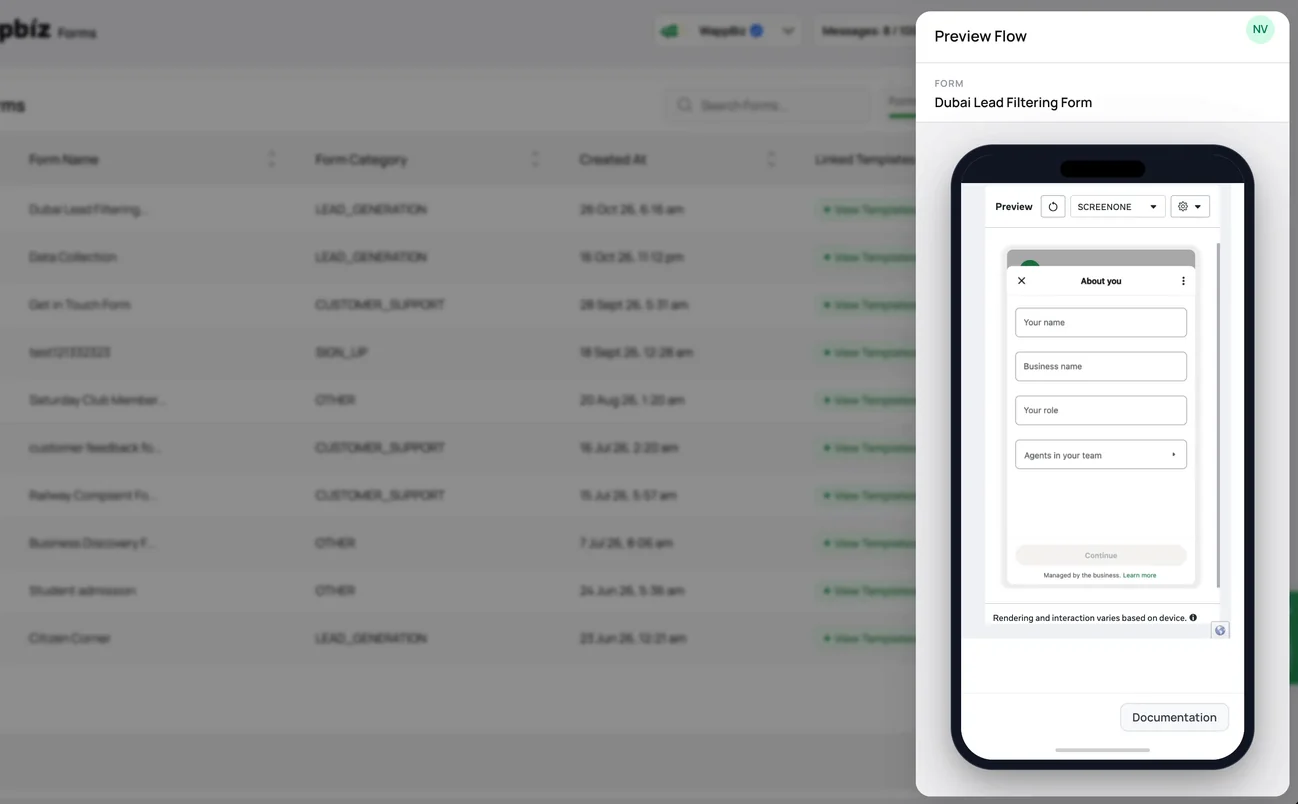
Create your form using a drag-and-drop builder, start from scratch, or choose a ready-made template.
Add text fields, dropdowns, date pickers, ratings, file uploads, required fields, validation rules, and conditional paths.
Share the form through a link, embed it on a website, or trigger it through WhatsApp campaigns and chatbot journeys.
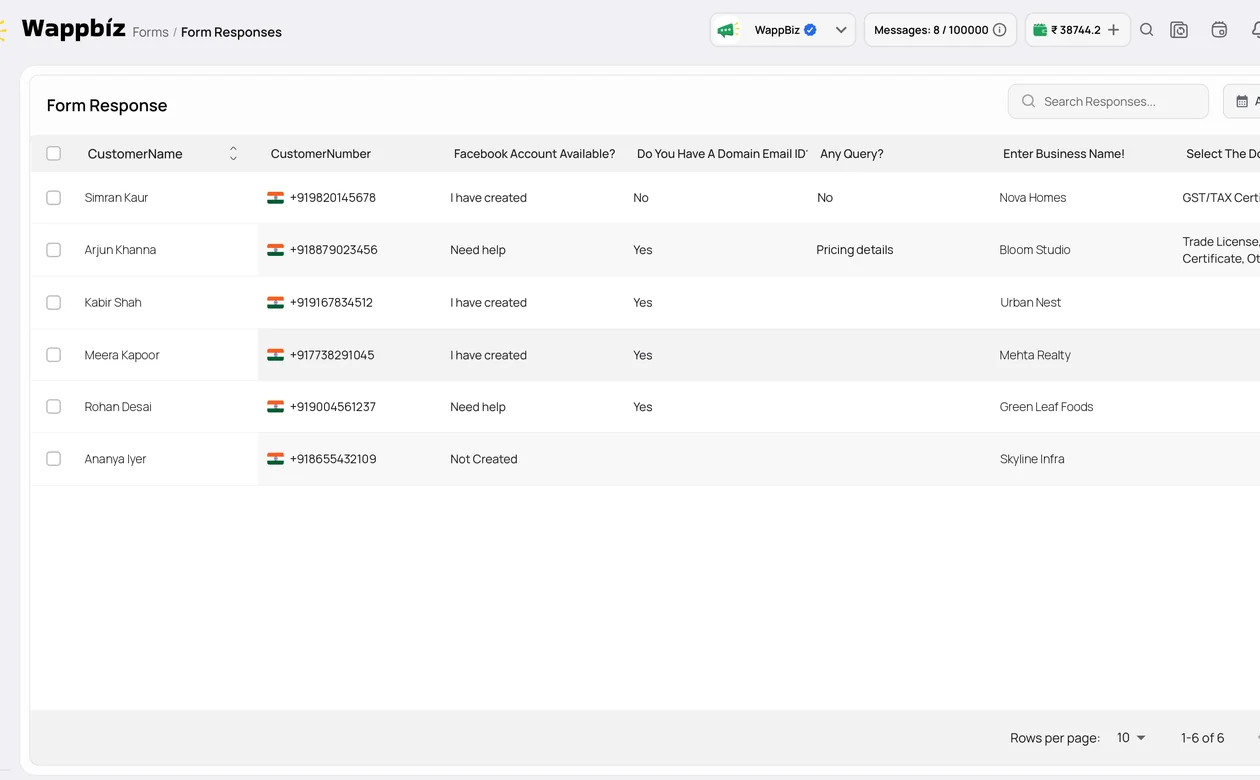
Store responses in Wappbiz, track lead sources, route submissions to the right team or CRM, and improve lead quality.
Collect order requests, delivery details, and return information.
See industryCapture trip preferences, dates, and booking requests.
See industryCollect appointment requests and patient details before the visit.
See industryCapture admission enquiries and course interests.
See industryQualify buyers by budget and location and book site visits.
See industryCollect loan and service enquiries in a structured format.
See industryManage WhatsApp leads with Wappbiz's built-in Mini CRM.
ExploreNo-Code ChatbotAutomate customer support with a No Code Chatbot.
ExploreChat Button & QR CodeAdd a customizable WhatsApp chat button to your website and create QR codes for offline enquiries.
ExploreUnified Team InboxOne shared inbox for WhatsApp, Instagram, Messenger and website chat.
Explore Google Sheets
 Zapier
 Pabbly Connect
 Shopify
 WordPress
 WooCommerce
 Calendly
 DeepSeek
 Google Gemini
 Claude
 OpenAI
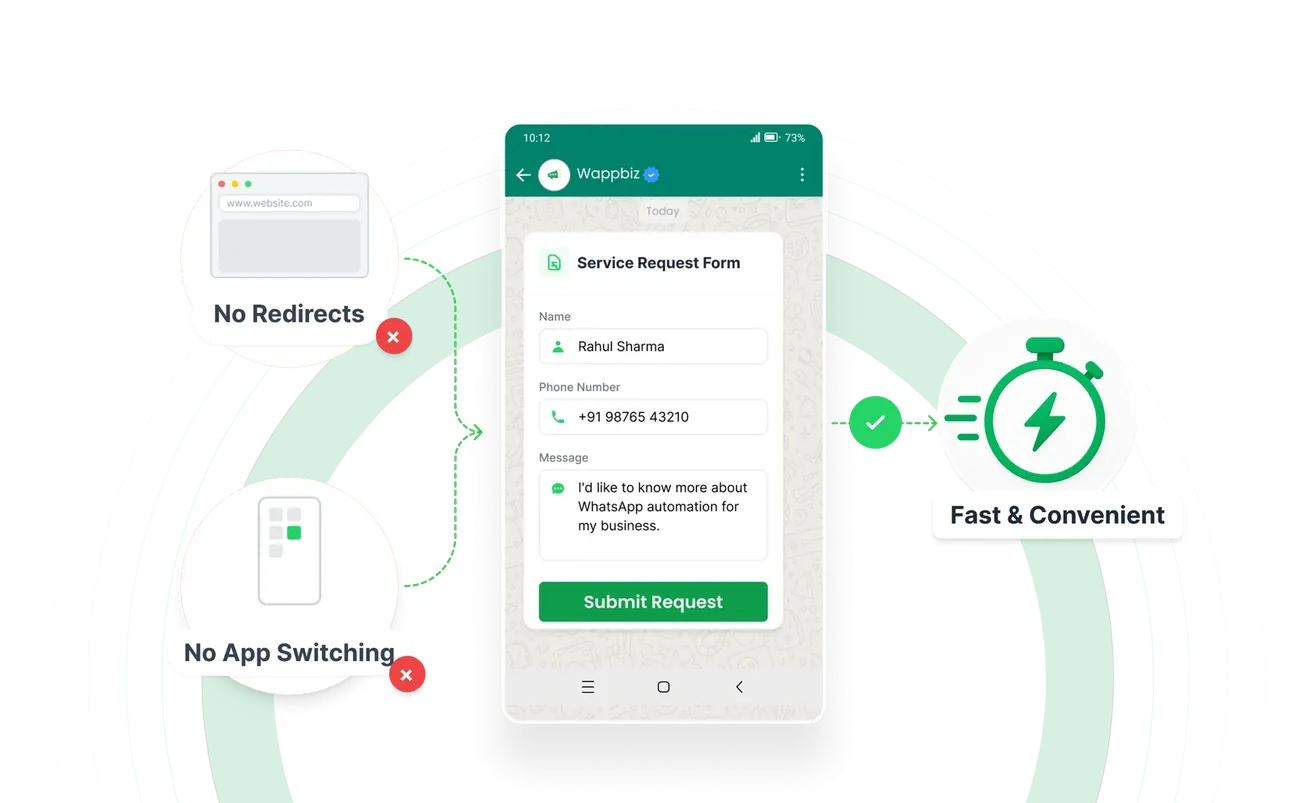
A WhatsApp Form is a customizable form that collects structured customer information directly within a WhatsApp conversation.
Unlike regular contact forms, WhatsApp Forms keep customers inside WhatsApp without redirecting them to an external website or app.
Yes, WhatsApp Forms can capture and qualify leads by collecting customer details, requirements, budgets, and preferences.
Yes, businesses can use WhatsApp Forms to collect appointment dates, time preferences, service details, and booking requests.
You can add fields for names, contact details, product interests, budgets, locations, preferences, feedback, and custom questions.
Availability may depend on the form configuration, but advanced forms can support file uploads and conditional questions based on customer responses.
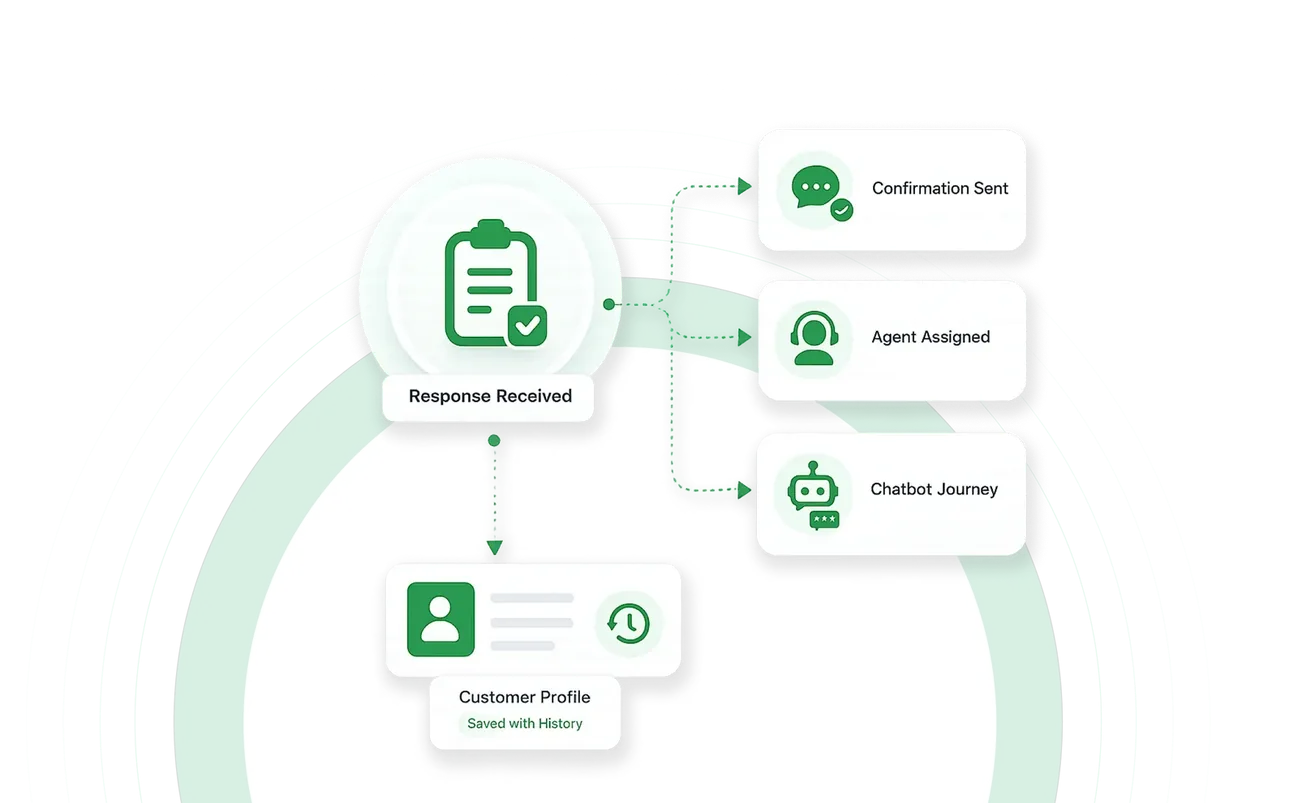
Yes, submitted responses can trigger automated confirmations, lead assignments, follow-ups, chatbot journeys, or CRM updates.
Yes, WhatsApp Forms can support property enquiries, appointment requests, product enquiries, order details, customer qualification, and service requests across these industries.










Your next customeris already typing.
Put an AI agent on WhatsApp, Instagram and Messenger today.