
Save Time & Effort
Automate repetitive messages and free your team for high-value conversations.


Campaigns · Official WhatsApp Business API
Schedule WhatsApp messages for promotions, reminders, follow-ups and customer updates. Automate delivery at the right time to improve engagement, save time and keep communication consistent.
Schedule WhatsApp Messages lets businesses plan and send WhatsApp communication at a specific date and time. It helps teams automate reminders, promotions, updates, and follow-ups so important messages are delivered on time without depending on manual sending.
Set it once.Delivered on time.
Choose the exact date and time your message goes out, targeting high-engagement periods or specific events.
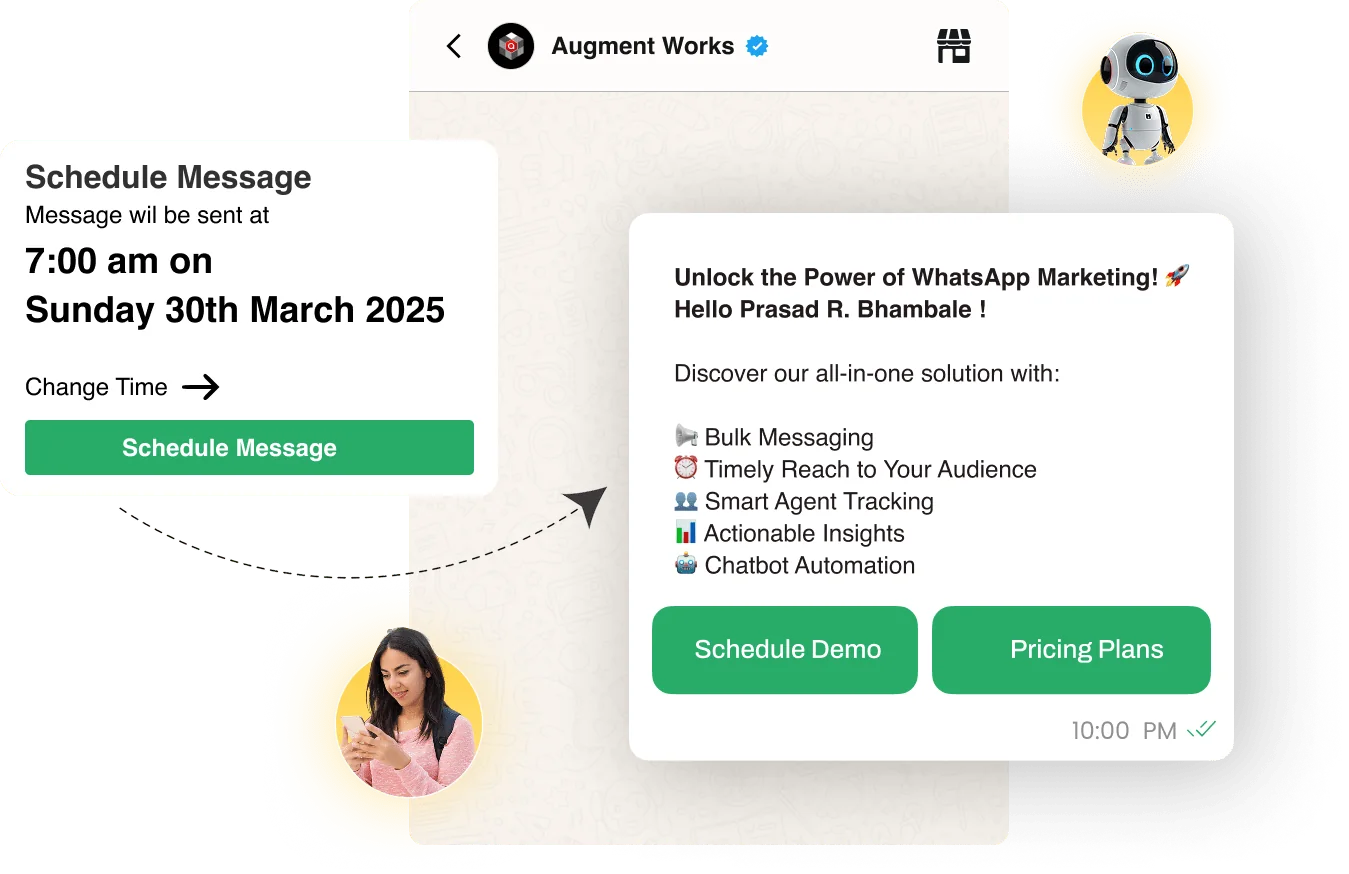
Schedule text messages, images, videos, and interactive buttons.
Set up daily, weekly, or monthly recurring messages for reminders and updates.
Less manual sending.Better timing.
Automate repetitive messages and free your team for high-value conversations.
Reach customers when they’re most receptive and engaged.
Timely follow-ups increase your chances of closing deals.
Track performance and refine messaging to engage customers more effectively.
Send reminders, offers, and updates promptly without delays.
Schedule messages for thousands of contacts at once.
Schedule a campaignin four steps.
Craft a message for your audience and customize it with images, links, or calls to action.
Choose the exact date and time you want your message to go out.
Define your audience based on customer segments so the right people get the right message.
Activate the campaign and let Wappbiz handle delivery. Track performance and responses in real time.
Send order confirmations, cart reminders, and seasonal promotions.
See industrySend payment reminders, loan updates, and investment tips.
See industrySchedule booking confirmations, flight updates, and holiday promotions.
See industrySchedule appointment reminders, follow-ups, and health tips.
See industryAutomate class reminders, fee alerts, and exam notifications.
See industryNotify leads about new listings, site visits, and offers.
See industrySend WhatsApp broadcast messages to 1000+ customers instantly.
ExploreDrip CampaignsUse Wappbiz to run a WhatsApp Drip Campaign, automate follow-ups, and nurture leads with scheduled, personalized messages—no manual work needed.
ExploreAI Template GeneratorCreate, customize, and automate AI-powered WhatsApp templates to engage customers faster and boost response rates at scale.
ExploreAnalytics & ReportingTrack WhatsApp campaign performance, customer engagement, and agent productivity with Wappbiz's WhatsApp Analytics & Reporting dashboard.
Explore Google Gemini
 Claude
 OpenAI
 DeepSeek
 Google Sheets
 Zapier
 Pabbly Connect
 Shopify
 WordPress
 WooCommerce
 Calendly
Yes! You can schedule messages for individual customers or bulk lists.
You can send text messages, images, videos, and interactive buttons.
Absolutely! Wappbiz allows you to set up daily, weekly, or monthly recurring messages.
Yes! Wappbiz ensures WhatsApp API compliance by using pre-approved templates for scheduled messages.
Yes! Wappbiz provides real-time analytics to monitor delivery, open rates, and engagement.










Your next customeris already typing.
Put an AI agent on WhatsApp, Instagram and Messenger today.