Automate WhatsApp Messaging
Trigger automated WhatsApp messages directly from Airtable records.



CRM & data · Official WhatsApp Business API
Integrate Airtable with WhatsApp using Wappbiz to automate Customer Database, Assign tasks and Notifications. Keep it all together and improve communication.
What you can dowith Airtable and WhatsApp.
Trigger automated WhatsApp messages directly from Airtable records.
Keep your WhatsApp conversations updated with live Airtable data.
Capture, organize, and engage leads instantly without switching platforms.
Connect Airtablein 4 simple steps.
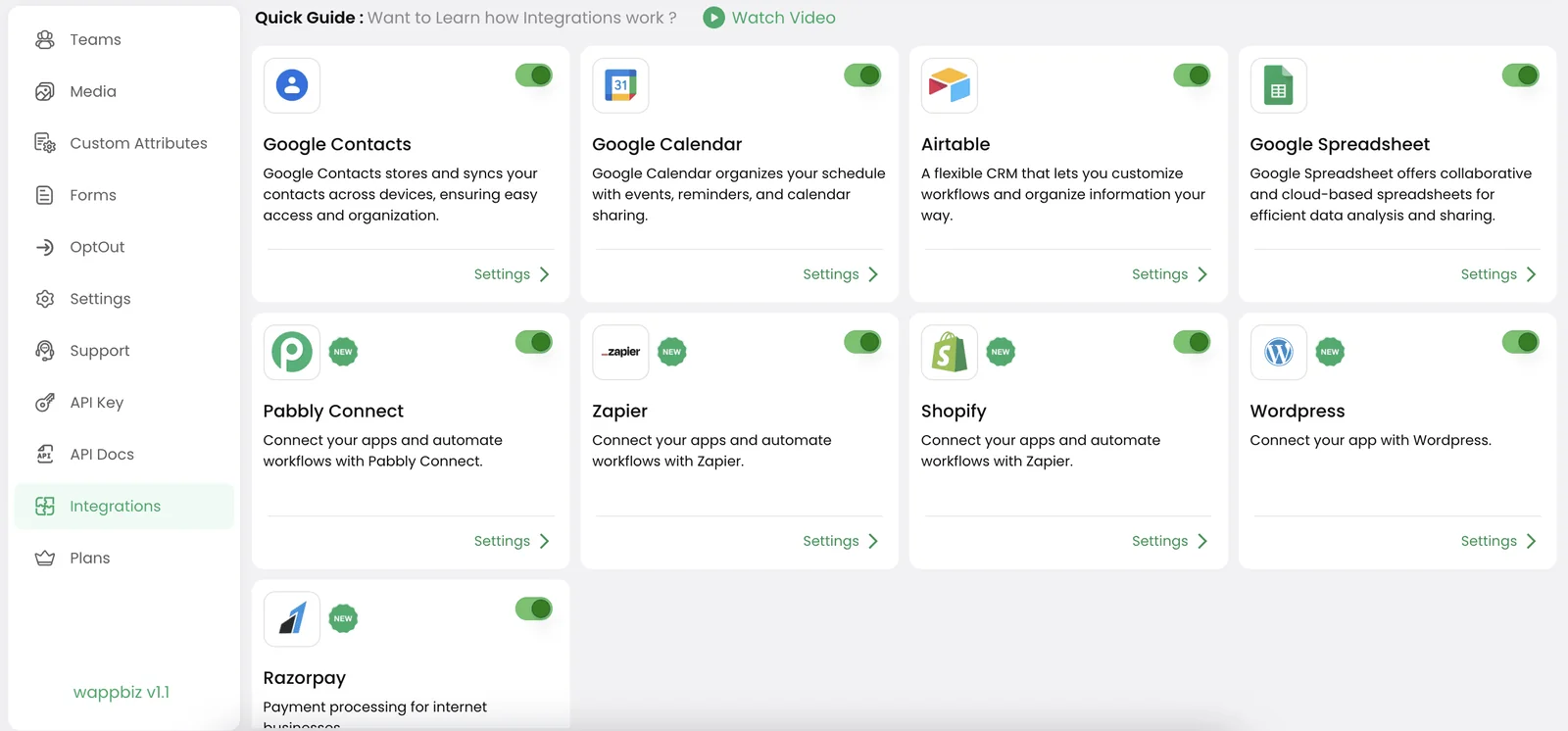
Head over to the Airtable Integrations tab in your Wappbiz dashboard, where you can easily find and toggle on the Airtable integration to start the connection process.
Enter your Airtable API key, Base ID, and the specific table name you wish to sync with Wappbiz. These details ensure that Wappbiz can securely access and sync your chosen Airtable data.
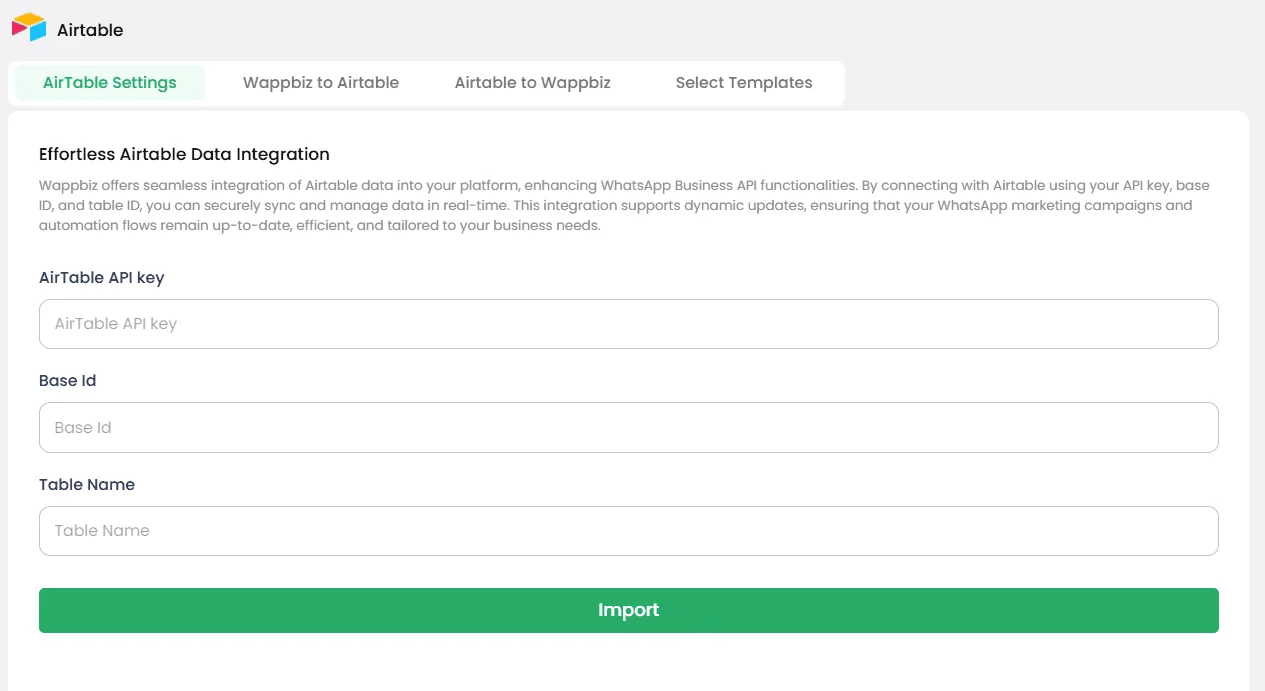
Once you’ve entered your Airtable credentials, simply click the Import button to begin transferring contacts from Airtable to Wappbiz.
All your Airtable contacts are now imported into Wappbiz, allowing you to immediately start creating targeted WhatsApp marketing campaigns, manage customer interactions, and track engagement in one powerful platform.
Airtable is connected. Start messaging customers from Wappbiz.
Send WhatsApp broadcast messages to 1000+ customers instantly.
ExploreLead Management & Mini CRMManage WhatsApp leads with Wappbiz's built-in Mini CRM.
ExploreLead Tagging & SegmentationOrganize WhatsApp contacts with custom tags, prioritize leads, apply advanced filters, and create targeted customer segments using Wappbiz.
Explore Zoho CRM
WhatsApp messaging and customer engagement sync
Set up Google Sheets
Collaborative spreadsheet sync for campaign and lead data
Set up Google Contacts
Contact synchronization and management across devices
Set up MDoc Real Estate CRM
Template library integration for real estate campaigns
Set upYes, Airtable can be connected to WhatsApp through third-party extensions or through the WhatsApp Business API.
You connect Airtable to WhatsApp through automation platforms like Wappbiz or Make.
You can integrate Airtable with WhatsApp Business API with the help of WhatsApp Business API provider.
Airtable is a used for organizing data and projects using databases.
You can integrate Airtable into your website by embedding Airtable views or using its API to display and manage data dynamically.
You can integrate Airtable with WhatsApp, Slack, Google Work Space and more
Airtable isn’t a traditional CRM but can be customized to manage customer relationships effectively.
Yes, Airtable provides API for data access and integration purposes.










Your next customeris already typing.
Put an AI agent on WhatsApp, Instagram and Messenger today.