Instant Payment Confirmation on WhatsApp
Notify customers in real-time when their payment is successful, failed, or pending.



Payments · Official WhatsApp Business API
Effortlessly integrate Razorpay with Wappbiz to automate payment collection, confirmations, and order updates — all via WhatsApp. Make your payment workflows smarter, faster, and friction-free.
What you can dowith Razorpay and WhatsApp.
Notify customers in real-time when their payment is successful, failed, or pending.
No more manual follow-ups or sending receipts — Wappbiz does it all automatically.
Boost trust and transparency by delivering payment updates directly where your customers are — on WhatsApp.
Connect Razorpayin 4 simple steps.
Visit https://dashboard.razorpay.com. Log in with your registered Razorpay account.
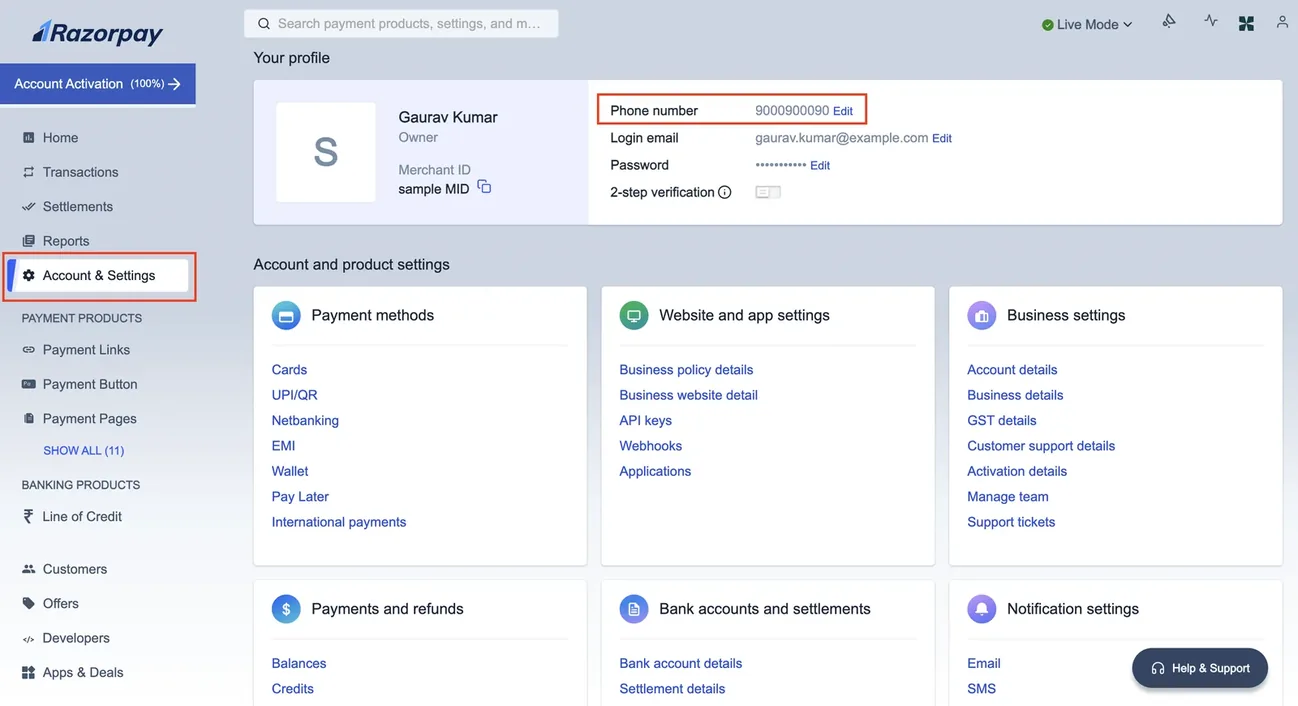
Go to the Settings (⚙️ icon) in the left sidebar. Click on the API Keys tab.
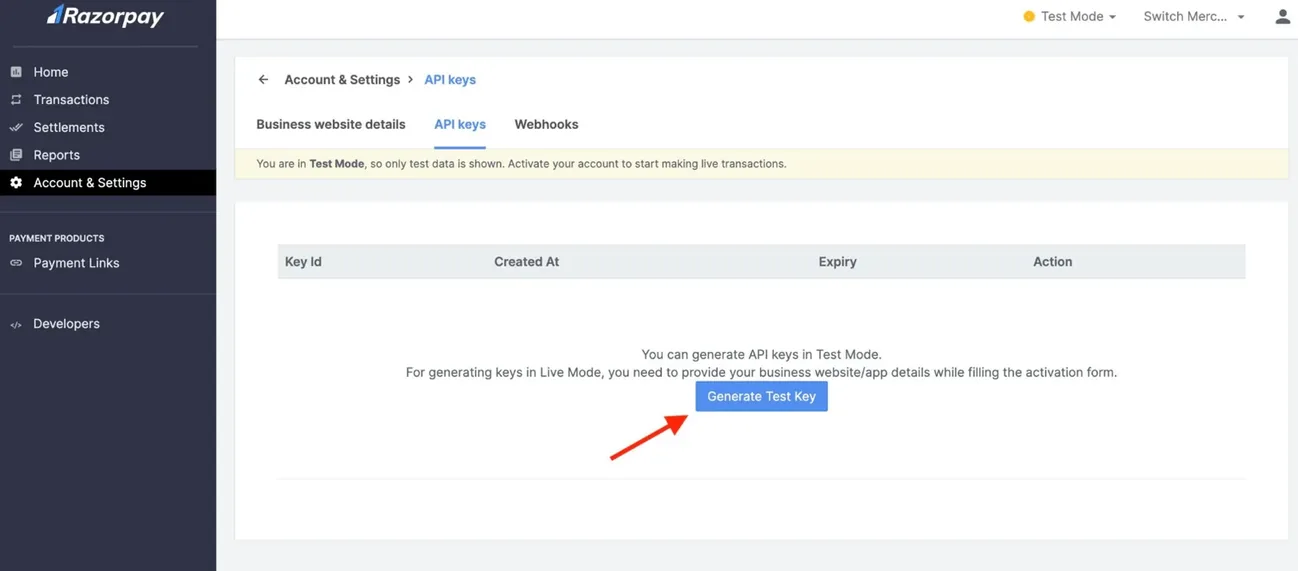
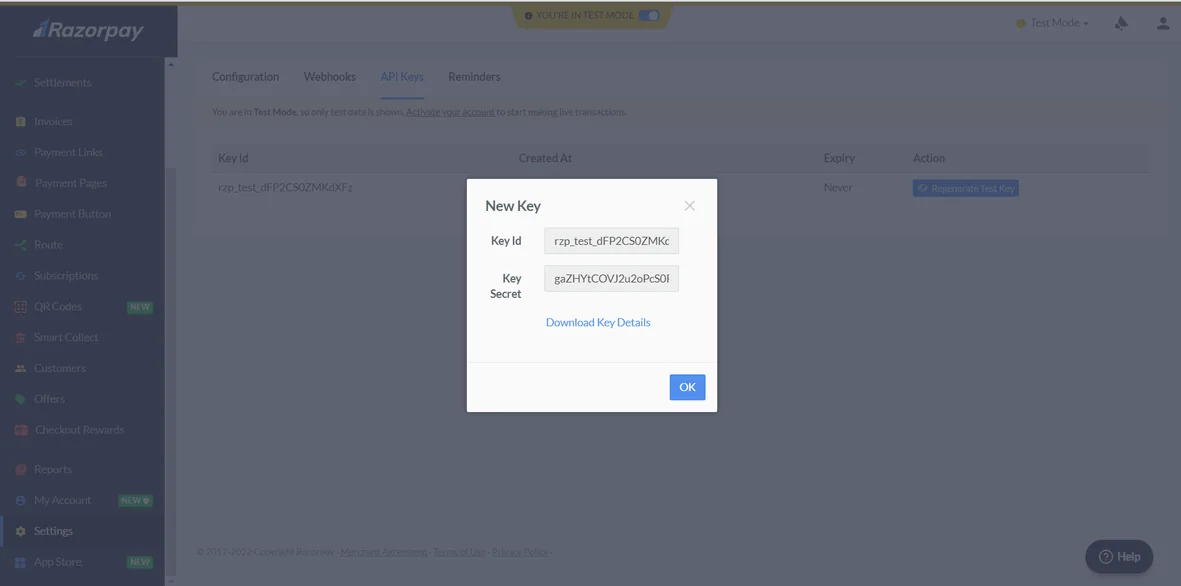
Click on the “Generate Key” button. A new Key ID (API Key) and Key Secret will be generated.
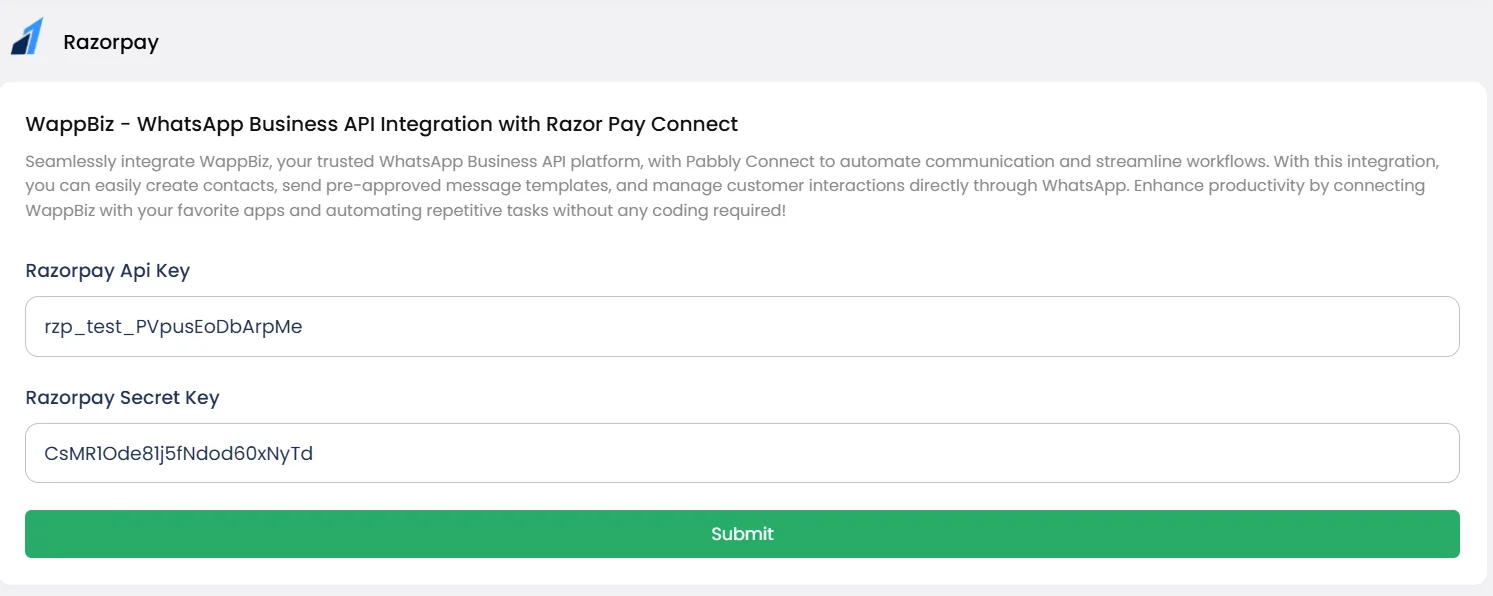
Go to Wappbiz Dashboard > Integrations > Razorpay. Paste the API Key and Secret Key into the fields. Click Submit to complete the integration.
Razorpay is connected. Start messaging customers from Wappbiz.
Create, customize, and share your WhatsApp catalogue in minutes with the help of Wappbiz WhatsApp Business API.
ExploreDrip CampaignsUse Wappbiz to run a WhatsApp Drip Campaign, automate follow-ups, and nurture leads with scheduled, personalized messages—no manual work needed.
ExploreUnified Team InboxOne shared inbox for WhatsApp, Instagram, Messenger and website chat.
ExploreIn-chat payment acceptance linked to gateways
Set up Stripe
Modern internet business payment processing
Set up Zoho Payment
Payment automation and customer engagement over WhatsApp
Set up Cashfree
Creation and collection of payment links directly in chat
Set upWappbiz helps you integrate Razorpay seamlessly into your WhatsApp Business API to accept payments directly through chats.
Razorpay is a secure and reliable online payment gateway for businesses to accept digital payments.
Yes, Razorpay uses advanced security measures and is fully PCI DSS compliant to ensure safe transactions.
Yes, Razorpay supports international payments, enabling global transactions for your business.
Wappbiz enables you to receive payments on WhatsApp by integrating Razorpay within your WhatsApp Business API chats.
No, with Wappbiz, Razorpay WhatsApp integration is simplified and requires minimal or no coding knowledge.
Yes, Wappbiz ensures Razorpay integration with WhatsApp is secure, protecting all payment data and communication.
You can use Razorpay WhatsApp integration to accept instant payments, send invoices, and streamline sales directly within WhatsApp chats.










Your next customeris already typing.
Put an AI agent on WhatsApp, Instagram and Messenger today.